
GoMeddo includes a Dashboard Home Page that you can assign to your users to provide more insights into your GoMeddo data.
.png?cb=5f0b358df4faf37ef0d33e9aba824cc7)
Step-by-step Guide
-
In Setup, go to the Lightning App Builder.
-
Find the page named ‘Home’ with the ‘B25’ namespace prefix.

-
Click ‘View’ to edit the page in the Lightning App Builder.
-
In the top right corner, click ‘Activation’.
-
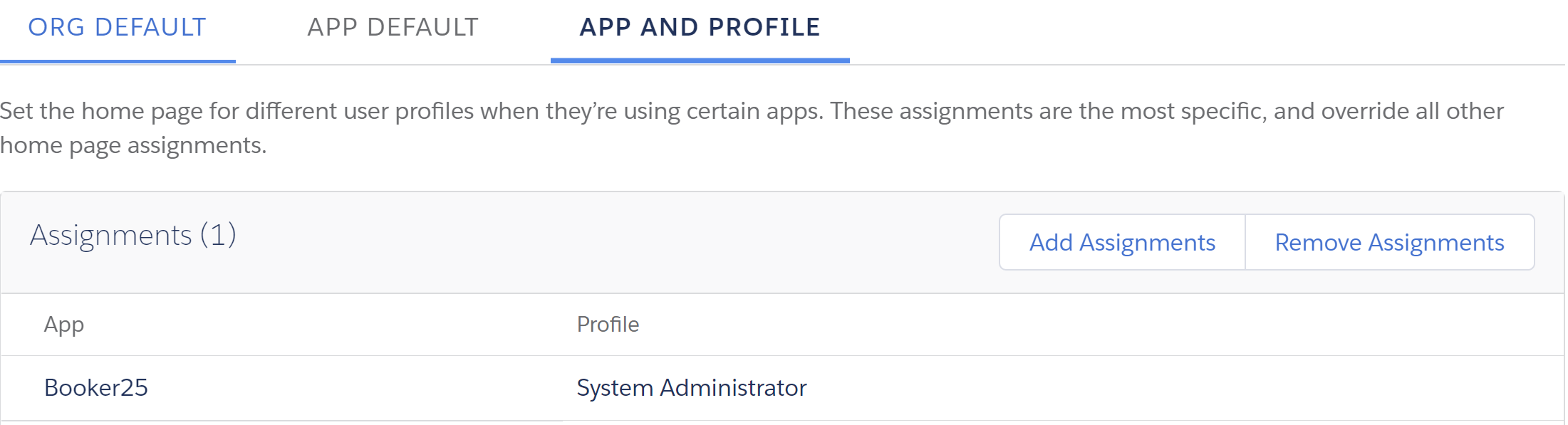
You can now choose how to assign this page. We recommend assigning by App & Profile combination, so that you have the most control over who sees the page.
For more information about assigning home pages, see the Salesforce documentation: https://help.salesforce.com/articleView?id=admin_home_lex_intro.htm&type=5.