
Configuration
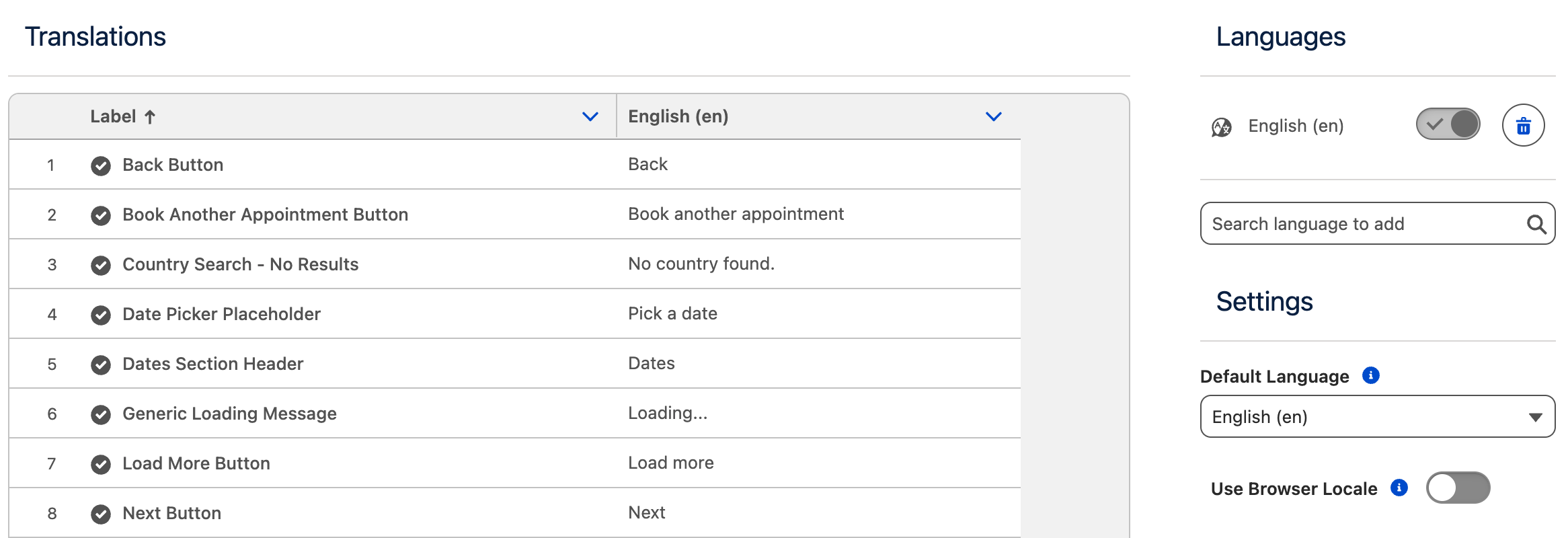
The Labels & Translations tab is available both in the Frontend Overview and on a per-step basis.
This section allows you to:
-
Customize the labels used throughout the frontend
-
Add and manage support for multiple languages
By configuring labels and translations at the appropriate level, you can ensure consistent terminology across the frontend while also tailoring text for specific steps when needed.
The page is divided into the following sections:
Translations
This section allows you to manage labels and translations used in the frontend.
-
When accessed from the Frontend Overview, it controls common frontend labels.
-
When accessed from an individual step, it controls step-specific labels.
Indicators shown to the left of each label description display whether that label has been translated for all selected languages.
RichText labels
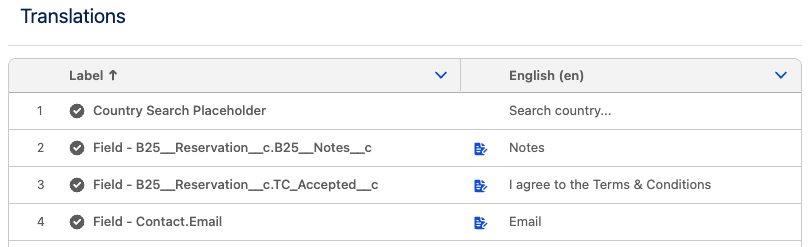
Rich Text formatting is available for input field labels displayed in the Custom Fields and Personal Information steps.
If a label supports Rich Text, a formatting icon is displayed to the right of the label title. Clicking this icon opens a modal where you can edit and format the label content for each configured language.
This allows you to apply formatting such Bold, Italic, Underline, Strikethrough and Link.
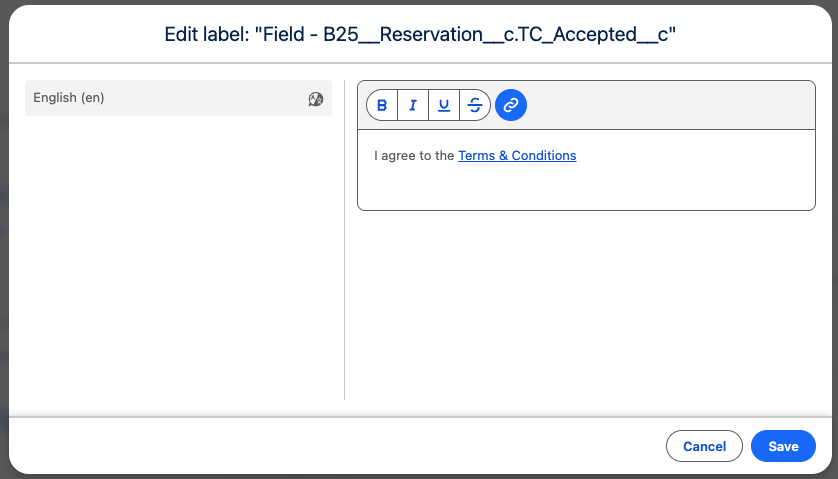
When using links, they will open in a new browser tab or window. For your users’ safety, ensure that all added links point to trusted and secure destinations.
Multi-line content is not supported to preserve the Frontend Builder formatting.
Languages
This section allows you to manage the languages into which the frontend can be translated.
-
Languages added to the list can be activated or deactivated using the toggle.
-
Inactive languages are not shown in the language selector to users.
-
This allows you to translate the frontend at your own pace. Once all labels are translated, you can activate the language and make it available to users by saving the frontend configuration.
Preloaded Translations
When adding French or Dutch (any available regional variant), the frontend is automatically populated with preloaded translations for these languages.
You can review and adjust these translations as needed before activating the language.
Language Availability Rules
-
At least one active language is required at all times.
-
A language cannot be deactivated or deleted if it is the only active language.
Single-Language Frontends
If you want the frontend to be available in a single language other than English (for example, Dutch):
-
Add the desired language (e.g. Dutch).
-
Complete all translations.
-
Activate the new language.
-
Delete English.
This will result in the frontend being available exclusively in the selected language.
Settings
This section contains the following settings:
Default Language
Defines the language that is shown to users by default.
Use Browser Locale
When enabled, the frontend automatically selects the language based on the user’s browser locale, if that language is active.
-
This setting overrides the Default Language.
-
If the browser’s language is not available in the active language list, the Default Language is used instead.
Localization Behavior
-
Dates, times, and numbers are automatically formatted based on the selected language and locale.
-
The default language is English (en), which uses the United States locale.
If you require a different regional variant:
-
To use British English, add English (UK), activate it, and then remove English (en).
-
The same pattern applies to other languages (for example, French vs French (Canada)), where the selected language determines the localization rules used for formatting.