
Use a Salesforce flow to create payment links with GoMeddo Payments. Start from the template flow, or add the Generate Payment Link action to your own flow.
Before you begin
-
Set up your GoMeddo Payments account and at least one payment provider in GoMeddo Settings > Payments.
-
Assign the GoMeddo Payments User permission set to every user who runs the flow, including integration users.
Use the template flow
To generate payment links for reservations, start from the template flow: GoMeddo - Template - Generate Payment Links from Reservation flow
Add the action to your own flow
Use the Generate Payment Link action in your own flow, for example in a flow that runs when the status of a GoMeddo reservation changes.
-
In Flow Builder, click + where you want the action, and search for Generate Payment Link in Add to Flow.
-
Enter a Label for the action.
-
Fill in the fields in the sections below. For each field, enter a fixed value or select a resource from your flow.
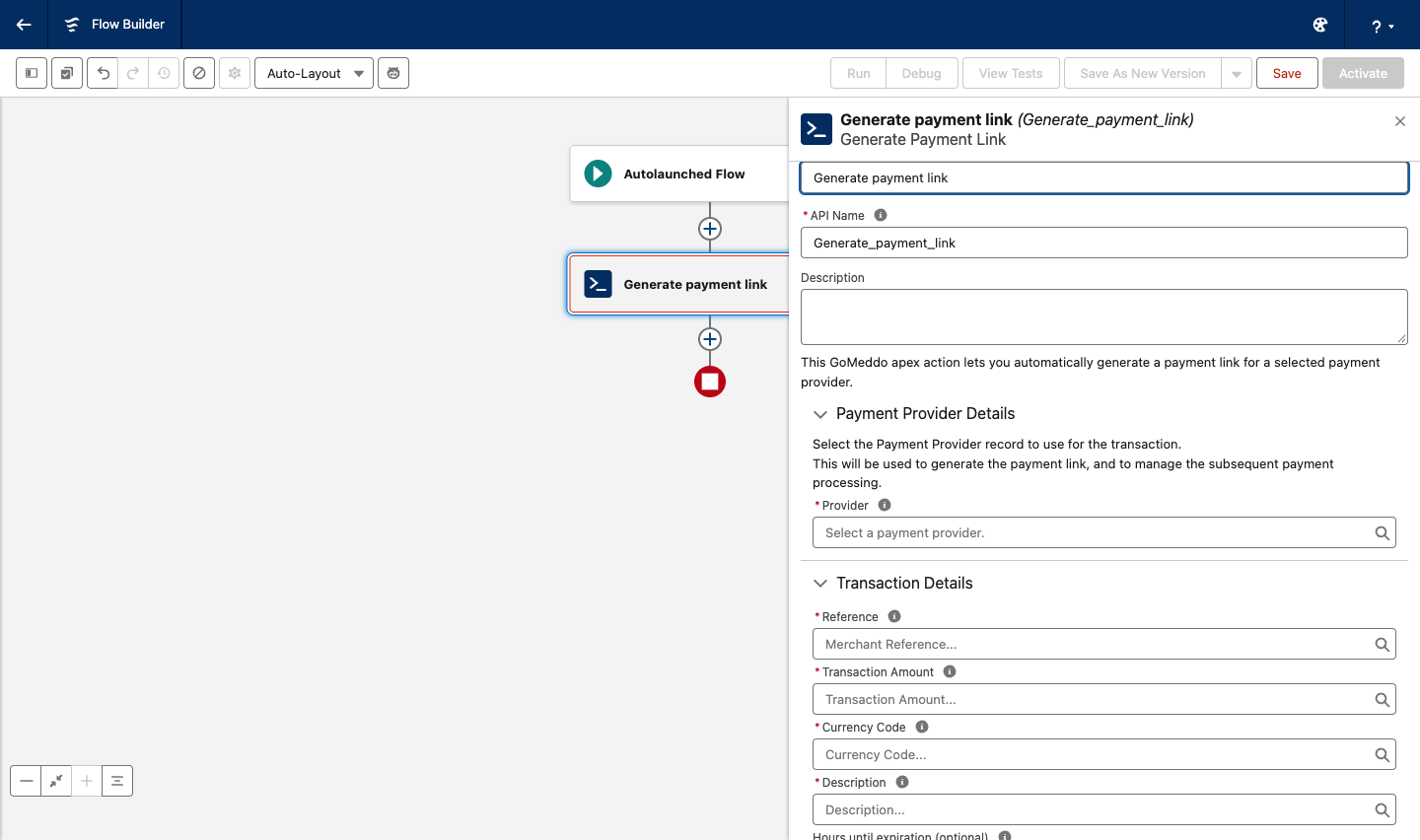
Payment Provider Details
|
Field name |
Required |
Definition |
|---|---|---|
|
Provider |
Yes |
The payment provider to use. The list shows the providers you set up in GoMeddo Settings > Payments for the active environment. |
Transaction Details
|
Field name |
Required |
Definition |
|---|---|---|
|
Reference |
Yes |
Unique reference that you use to identify this payment. Use a different value for every payment you start. |
|
Transaction Amount |
Yes |
Amount to charge, in a standard currency format, for example |
|
Currency Code |
Yes |
Currency of the transaction, in ISO 4217 format, for example |
|
Description |
Yes |
Description of the payment. The payer sees it on the payment page. |
|
Hours until expiration (optional) |
No |
Number of hours until the payment link expires. If you leave it empty, the link expires after 24 hours. For Stripe, enter a value from 1 to 24. |
|
Return URL (optional) |
No |
Page the payer goes to after a successful payment. |
Location Details
|
Field name |
Required |
Definition |
|---|---|---|
|
Country Code |
Yes |
Country of the transaction, in ISO 3166-1 alpha-2 format, for example |
|
Shopper Locale |
Yes |
Locale of the payer, in Locale ID format, for example |
Shopper Reference Details (optional)
|
Field name |
Required |
Definition |
|---|---|---|
|
Shopper Reference |
No |
Unique reference that identifies the payer. Do not include personal data. |
Output
The action returns these values, which you can use in the next elements of your flow:
-
Payment URL: the payment link to send to the payer.
-
Transaction: the Transaction record that the action creates for the payment.