
This step allows the user to enter their personal details, which are used to create a Contact or Lead in Salesforce. This record is then associated with the Reservation that will be created.
This step is required by the Frontend Builder and cannot be removed or disabled. This step can be moved anywhere in the Customer Journey.
The configuration for this step is divided into the following sections.
Step Configuration
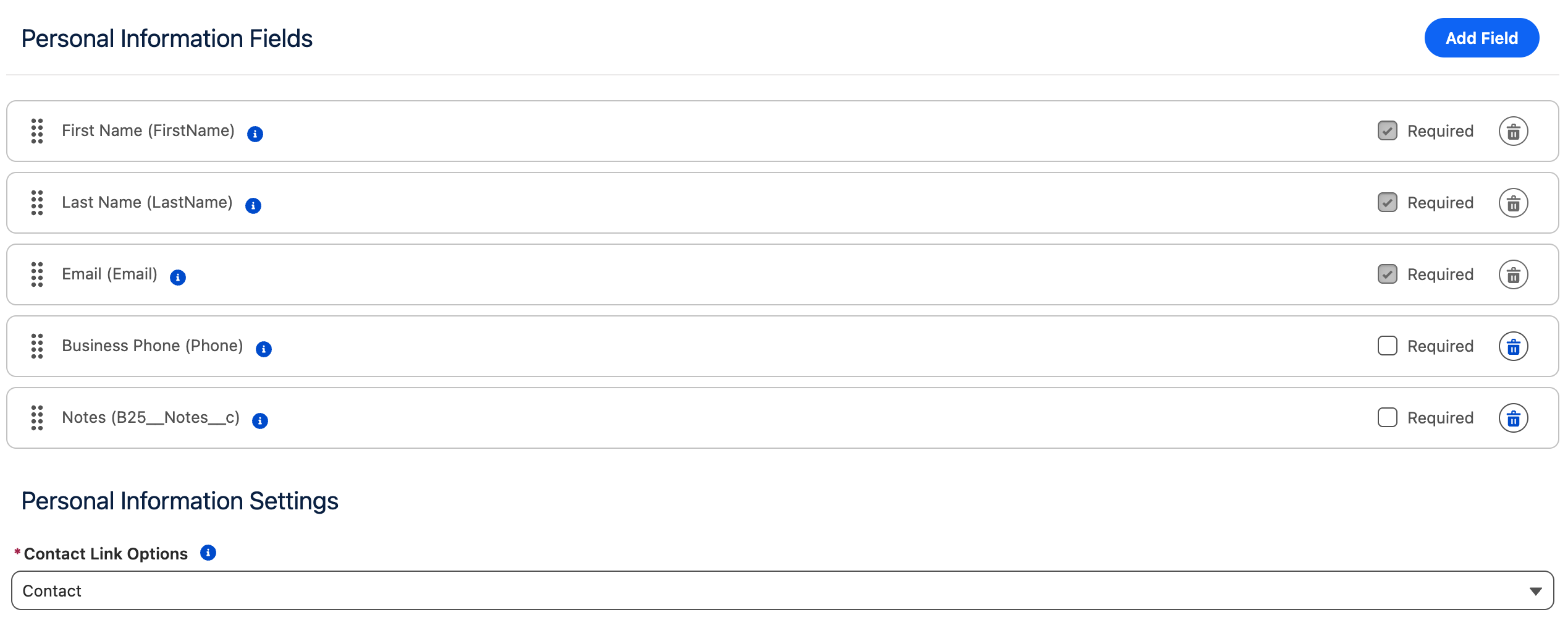
Personal Information Fields
This section allows you to select which fields from the Contact, Lead, and Reservation objects the user can populate.
-
Fields can be added by clicking the Add Field button.
This opens a selection modal where you can choose fields from:-
Contact__c -
B25__Reservation__c -
Lead__c
-
-
The following fields are preconfigured by default:
-
FirstName -
LastName -
Email -
Phone -
Company(Leadonly) -
B25__Notes__c(fromB25__Reservation__c)
-
Required Fields Behavior
-
Fields can be marked as required independently of Salesforce field requirements.
If a field is required in Salesforce, it will automatically be marked as Required.
You can make such a field optional in the frontend, but this will result in an error during reservation creation if Salesforce requires it.
FirstName, LastName, and Email are always required for Contact/Lead creation. Company is additionally required for Leads. These fields cannot be marked as optional and cannot be removed from the list.
Personal Information Settings
This section contains the Contact Link Options setting, which defines how the newly created Contact/Lead is associated with the Reservation.
Contact Link Options
The following options are available:
|
Option |
Description |
|---|---|
|
None |
No Contact or Reservation Contact is created.
|
|
Contact |
The Contact ID of the newly created Contact is set directly on the Reservation. |
|
Reservation Contact |
A new Reservation Contact record is created to link the Contact and the Reservation.
|
|
Lead |
The Lead ID of the newly created Lead is set directly on the Reservation. |
The Contact option is selected by default.
Existing Record Matching
When a reservation is created with personal information, GoMeddo attempts to match the supplied contact information against existing records. This process differs slightly between Contact and Leads.
If Reservation Contact is chosen as the contact link option, the deduplication will happen against Contact records.
Contact
If Contact is chosen as the personal information linking option, GoMeddo will deduplicate using an Apex implementation of the standard Contact Matching Rule logic. See Salesforce’s documentation on Standard Matching Rules for more information.
Lead
If Lead is chosen as the personal information linking option, GoMeddo will deduplicate using the duplicate rules configured in the org. See Salesforce’s documentation on Lead deduplication for more information.
Translations
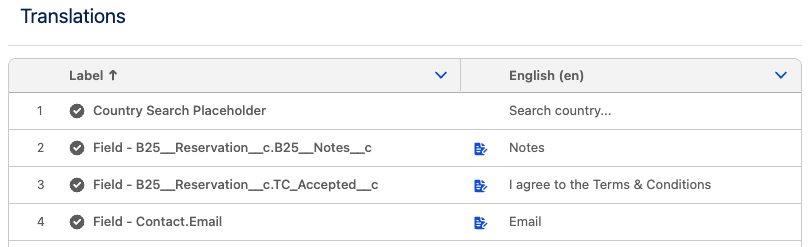
The fields added support RichText as labels.
RichText labels
Rich Text formatting is available for input field labels displayed in the Custom Fields and Personal Information steps.
If a label supports Rich Text, a formatting icon is displayed to the right of the label title. Clicking this icon opens a modal where you can edit and format the label content for each configured language.
This allows you to apply formatting such Bold, Italic, Underline, Strikethrough and Link.
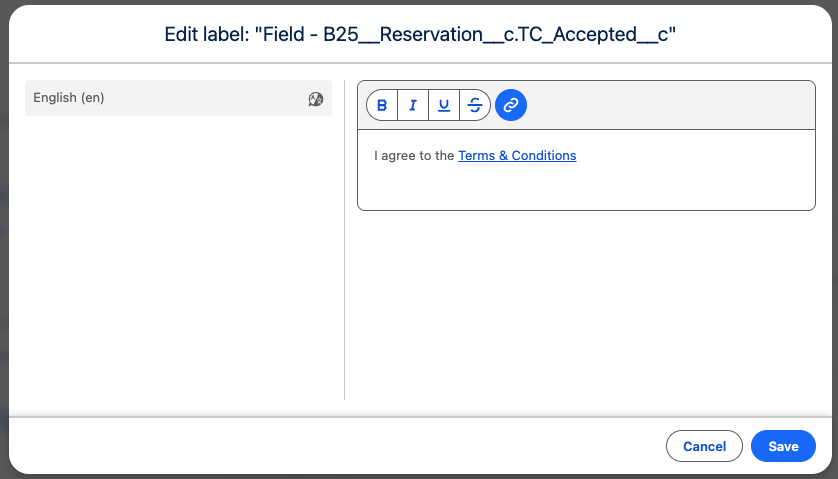
When using links, they will open in a new browser tab or window. For your users’ safety, ensure that all added links point to trusted and secure destinations.
Multi-line content is not supported to preserve the Frontend Builder formatting.