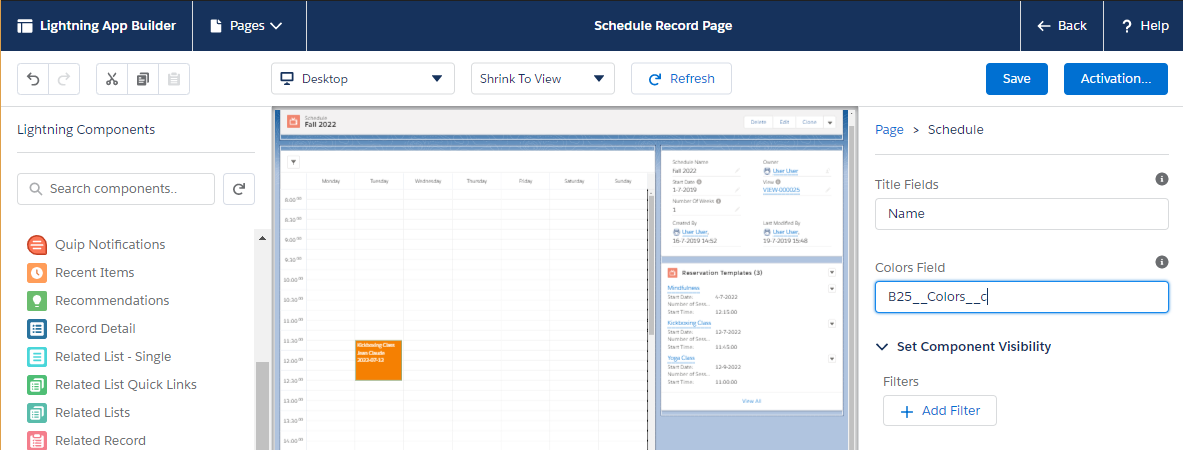
You can change the colors of events on a scheduler with the Colors Field property of the Schedule and Horizontal Schedule components in the Lightning App Builder.
By default, Colors Field is B25__Colors__c. This formula field on Reservation Template combines the Text Color, Background Color, and Border Color fields of each template, so you can set colors per template without changing the component.
To calculate colors your own way, enter the API name of another field on Reservation Template. The field must return three hex or CSS colors separated by commas.
For example, the following are valid values: #000000,#121212,#ffffff or white,red,black.
The first value represents the text color, the second value the background color, and the third value the border color. When a value is empty, GoMeddo uses its default color for that part.
To change the property:
-
Open a Schedule record.
-
Click the gear icon, then click Edit Page.
-
On the canvas, click the scheduler to select the Schedule component.
-
In Colors Field, enter the API name of your field.
-
Click Save.
To verify: whether the page must also be activated after saving, when it is a copy of the packaged Schedule Record Page.