
The frontend builder is designed to work outside Salesforce, but you can embed it in Salesforce, for example, on an experience cloud.
For security, note that data still leaves Salesforce to load the booking widget on an experience cloud.
How to add the frontend builder widget to an experience cloud:
-
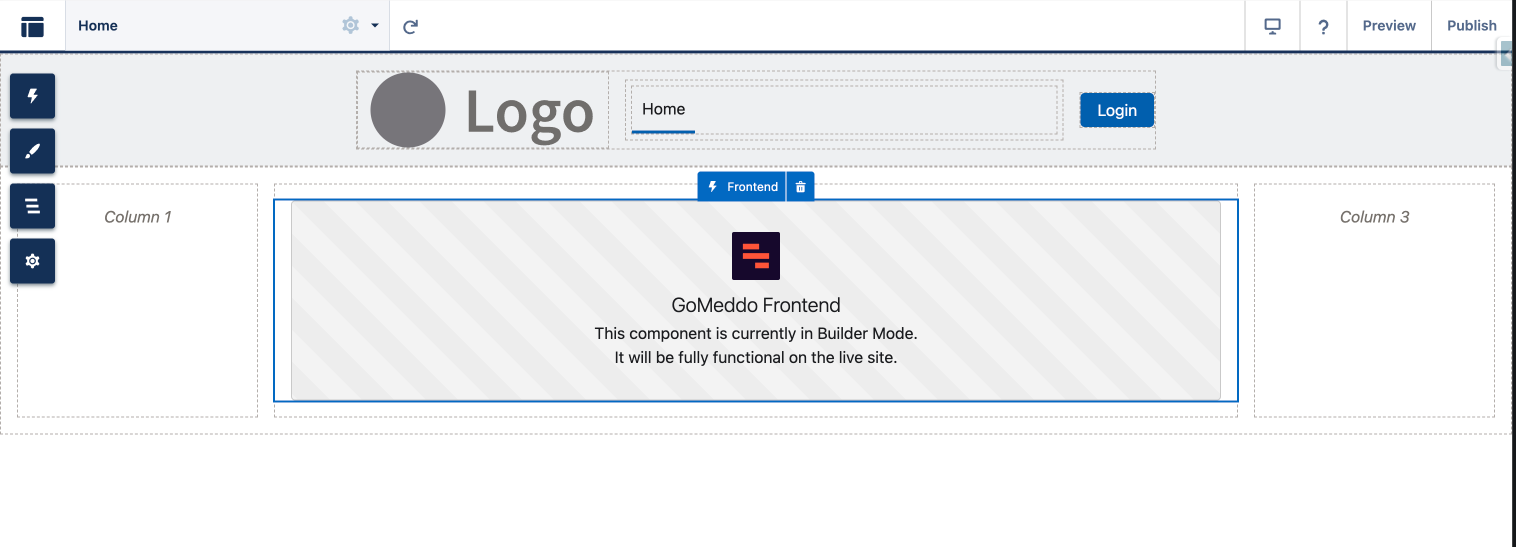
Instead of pasting the code snippet on your website, open your (guest) community in the builder.
-
Go to Add Components > Custom, then add the Frontend component.
-
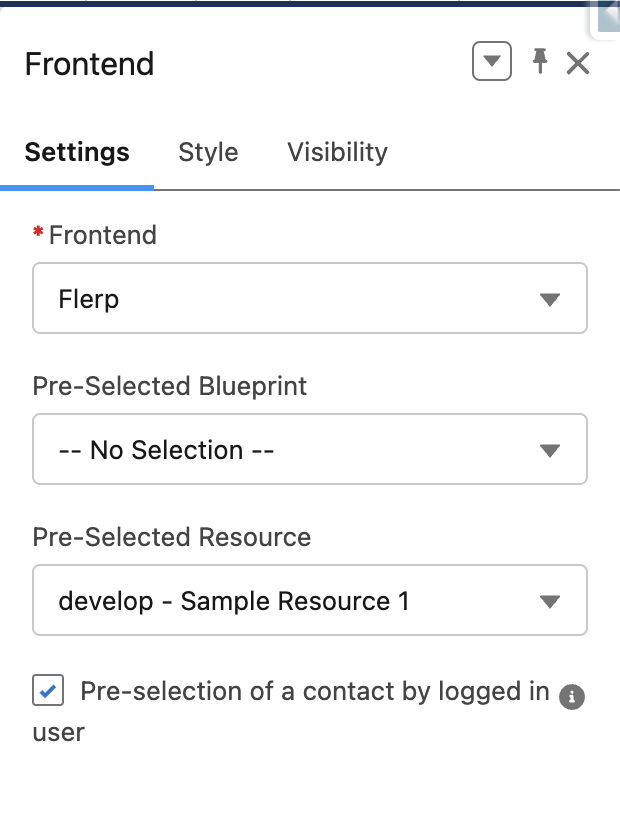
In the component settings, specify which configured frontend to use.
-
Optional: You can pre-select a resource or blueprint to skip steps.
-
Optional: Specify if you want to use the logged in users Contact Id, so you can skip the personal details section
-
Save and preview (the component cannot load data in the builder itself).
-
Note that the Experience cloud users do need to have the Frontend Buider Experience Cloud permission set assigned to them