
Description
The GoMeddo - Template - Generate Payment Links from Reservation flow uses the Generate Payment Link action to create payment links whenever a default reservation is created or updated. Default reservations for the flow are defined as reservations that use the default reservation status.
Use this flow as a starting point to configure when to generate payment links and how to use them after creation.
This functionality is only available if the bridge package is installed see Install the latest GoMeddo Payments version
Configuration
On set up, go to Flows and open the flow GoMeddo - Template - Generate Payment Links from Reservation.
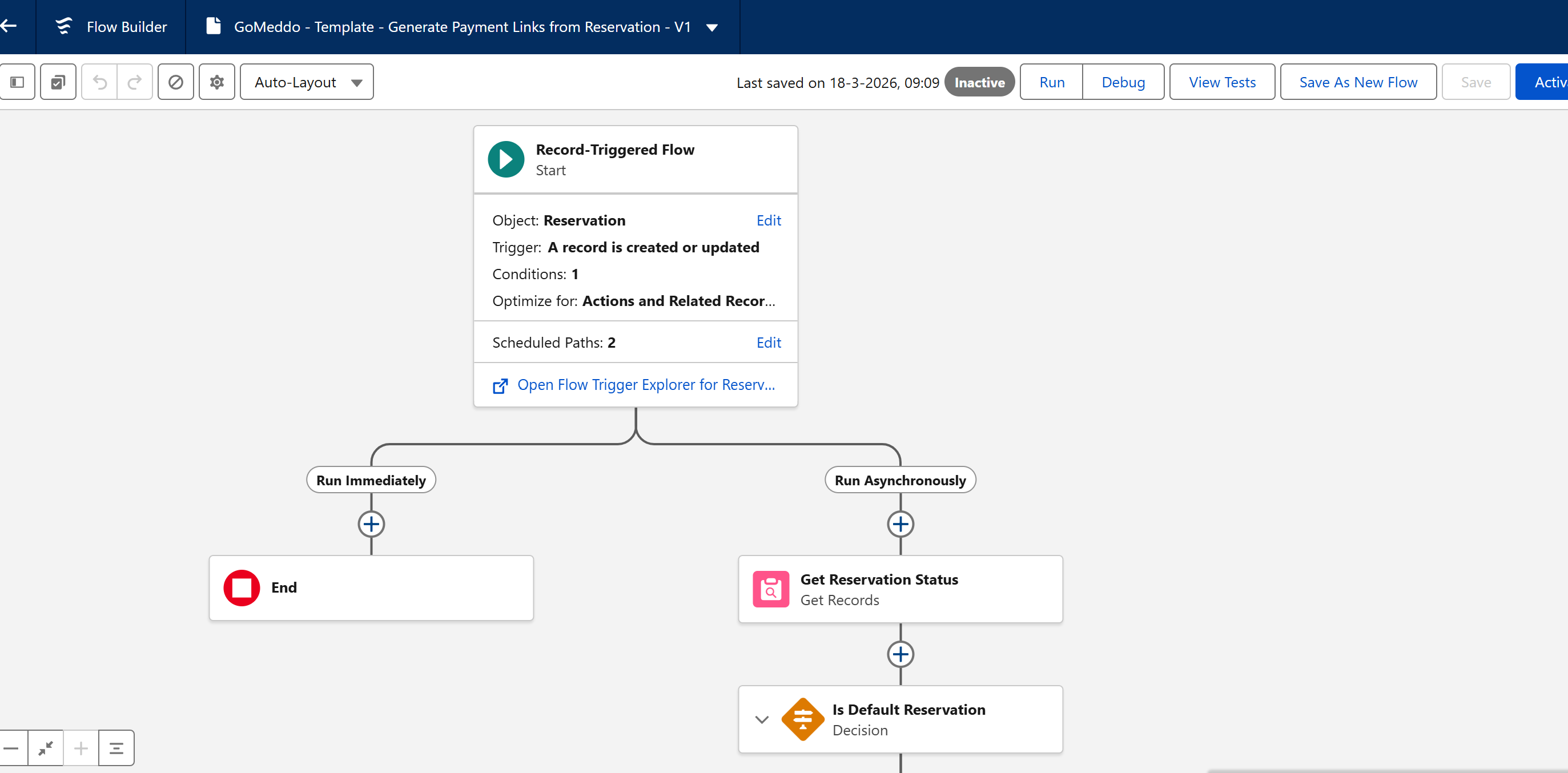
In the start configuration, select any reservation conditions that should trigger the flow. By default, it checks only that the status is not null because it then verifies if the status is the default status to proceed.
The assign values from reservation step takes the description and amount values from the reservation and assigns them to variables. These variables are intended to be used for the transaction created after generating the payment link but can be modified to retrieve values from elsewhere.
The Generate Payment Link apex action is what actually creates the link and transaction, so it is crucial to verify this step meets your needs. The flow contains a placeholder for the provider that must be replaced with an actual provider record in your org before use; otherwise, the it will fail.
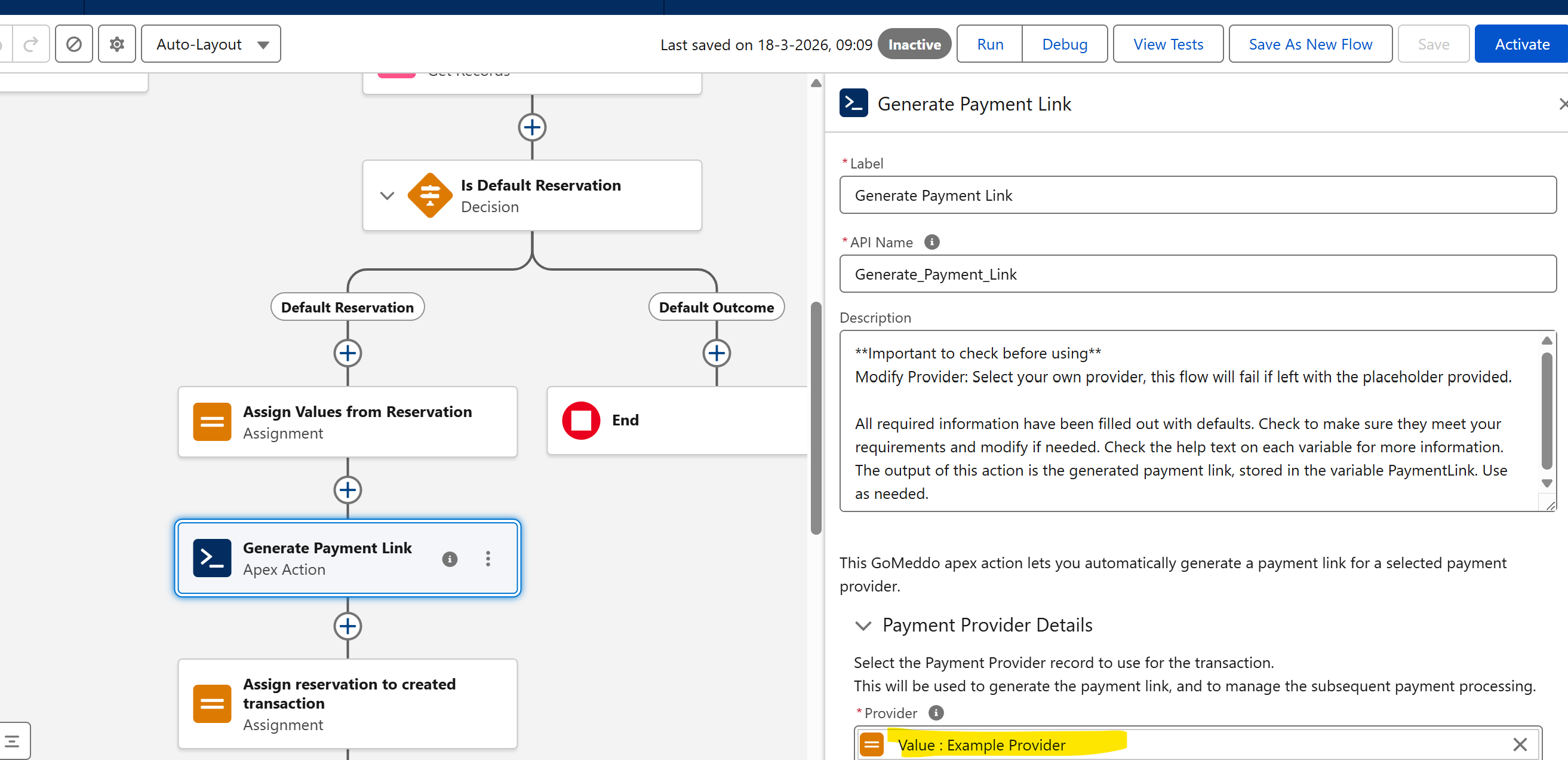
After the link has been generated, it is stored in the PaymentLink variable and the created transaction is stored in the CreatedTransaction record variable. Use these variables as needed. The last step of the flow takes the created transaction and links it back to the reservation.
Please note that in order to use this flow you must first save it as a new flow.