
Clean Install
If you are just getting started with GoMeddo Payments here are the steps in a quick overview
Install GoMeddo Payments
Installing GoMeddo Payments for GoMeddo is a 2 step process,
-
Install the main package
-
Install the bridge package, this connects GoMeddo Payments with GoMeddo
Important! Make sure to always install “For Admins Only”.
Create a GoMeddo Payments account
In order to use GoMeddo Payments you need to create a GoMeddo Payments account.
-
Go to GoMeddo Payments

-
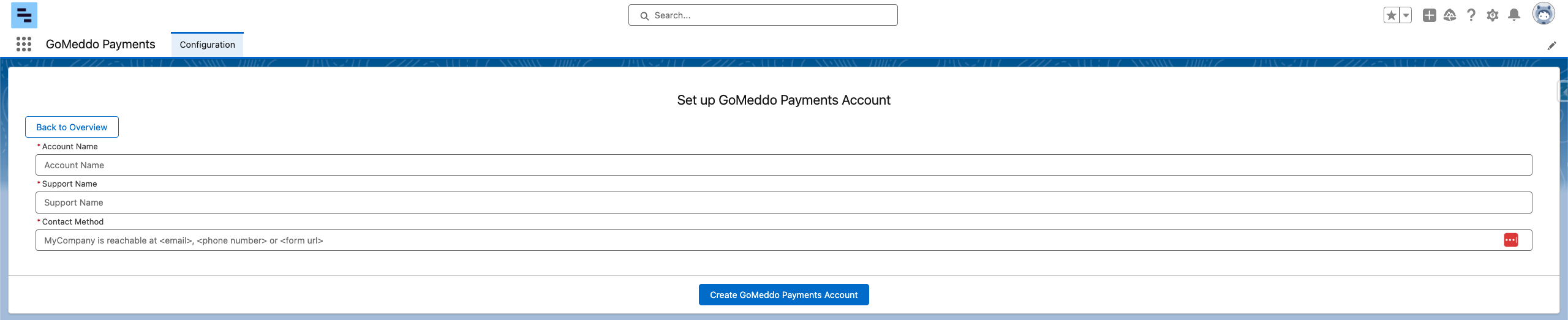
Go to Configure and to “Set up Account”
-
Add your Account Name with GoMeddo, you can chose this yourself
-
Add a support name so we know who to reach out to in case of support.
-
Add a contact method for your account.
-
Hit Create GoMeddo Payments Account to create your account.
Configure one of the suported providers
Configure an Adyen payment provider