
GoMeddo Subscription Management prices every recurring contract line per time unit: per week, per month, or per year. This page explains how the time unit, the price, and the invoice cycle work together, so you can set up a contract that invoices the amount your customer agreed to.
Before you start: this page assumes you can create contracts and contract products as described in Contracts & Invoicing. Yearly pricing requires GoMeddo Subscription Management version 2.76 or later.
How pricing works
Three fields decide what a recurring contract line invoices:
-
Time Unit on the contract: the unit the price refers to. You can choose WEEKS, MONTHS, or YEARS. If you leave it empty, GoMeddo uses MONTHS.
-
Price on the contract product: the price for one time unit. The contract product shows the unit next to the price, for example Per Month or Per Year.
-
Invoice Cycle on the contract: how many time units each order covers. For example, a monthly contract with an Invoice Cycle of 3 creates one order per quarter for 3 times the monthly price.
When a period is shorter than a full time unit, for example because the contract line starts or ends halfway through, GoMeddo prorates the price for that period. If you enable Always Use Full Price on the contract product, GoMeddo invoices the full price instead.
Set the time unit on a contract
-
Open the contract.
-
Click Edit.
-
In Time Unit, select WEEKS, MONTHS, or YEARS.
-
In Invoice Cycle, enter the number of time units each order covers.
-
Click Save.
-
Add contract products and enter the Price for one time unit.
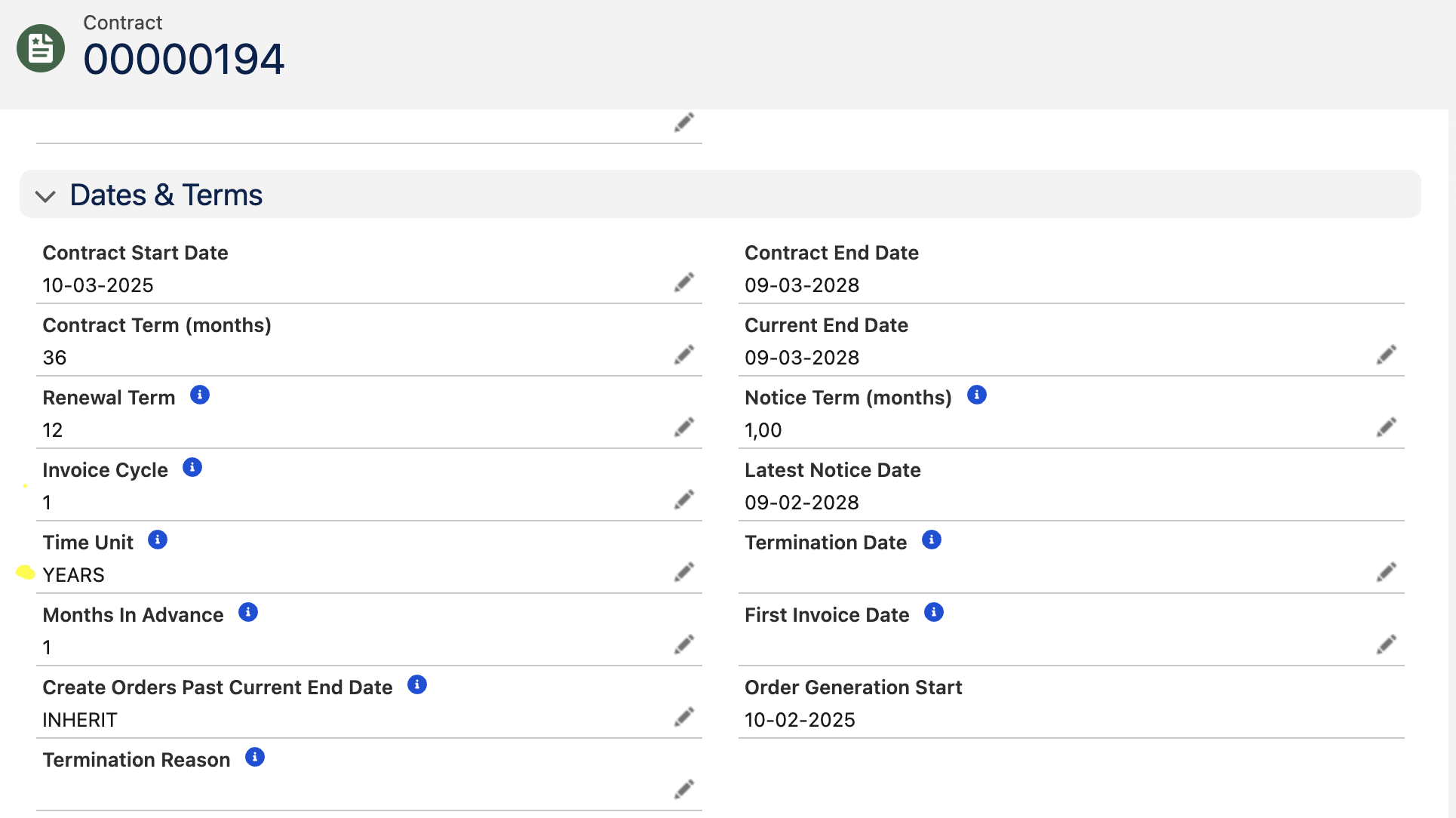
After you activate the contract, the upcoming orders show the period and amount for each invoice cycle.
Monthly pricing
Monthly is the standard time unit and the default for new contracts. Enter the monthly price on the contract product, and use Invoice Cycle to choose how often you invoice: 1 for monthly, 3 for quarterly, or 12 for yearly invoicing of a monthly price.
Monthly contracts support these custom settings, described on Available Custom Settings:
-
CREATE_ORDER_ITEMS_PER_MONTH: splits an order that covers several months into one order line per month. -
USE_NUMBER_OF_DAYS_IN_MONTH: prorates partial months using the real number of days in the month instead of 30. -
USE_CALENDAR_QUARTER: aligns contracts with an Invoice Cycle of 3 to calendar quarters.
Weekly pricing
Use weekly pricing when you agree a price per week. Enter the weekly price on the contract product. Invoice Cycle counts weeks, so an Invoice Cycle of 4 creates one order every 4 weeks.
To create weekly orders on a fixed weekday, select that day in Order Generation Day on the contract. Leave it empty to follow the start date.
GoMeddo prorates partial weeks per day. Weekly orders always have one order line for the whole period, regardless of CREATE_ORDER_ITEMS_PER_MONTH.
Yearly pricing
Use yearly pricing when you agree a price per year, for example an annual license or membership. Set Time Unit to YEARS and enter the annual price on the contract product. Invoice Cycle counts years, so an Invoice Cycle of 1 creates one order per year.
Yearly pricing differs from monthly pricing with an Invoice Cycle of 12 in three ways:
-
You enter the annual price, not a monthly price.
-
Each order has one order line for the whole year, regardless of
CREATE_ORDER_ITEMS_PER_MONTH. -
GoMeddo prorates a partial year by the real number of days in each calendar year, so a period in a leap year counts 366 days.
Align yearly orders to the calendar year
By default, each year runs from the start date of the contract line. To invoice per calendar year instead, so every period ends on 31 December, set the USE_CALENDAR_YEAR custom setting to true. To override the setting for one contract product, set Use Calendar Year on the contract product to YES or NO. INHERIT follows the custom setting.
When a line starts during the year, GoMeddo prorates the first period up to 31 December, unless Always Use Full Price is enabled.
Always Use Full Price on yearly lines
With Always Use Full Price enabled, GoMeddo invoices the full annual price for each year, even when the line starts or ends during that year.
When indexation changes the price of a yearly line with Always Use Full Price, GoMeddo only creates a correction for whole years that were already invoiced. The new price applies from the next full year, and GoMeddo does not create a prorated correction for part of a year.