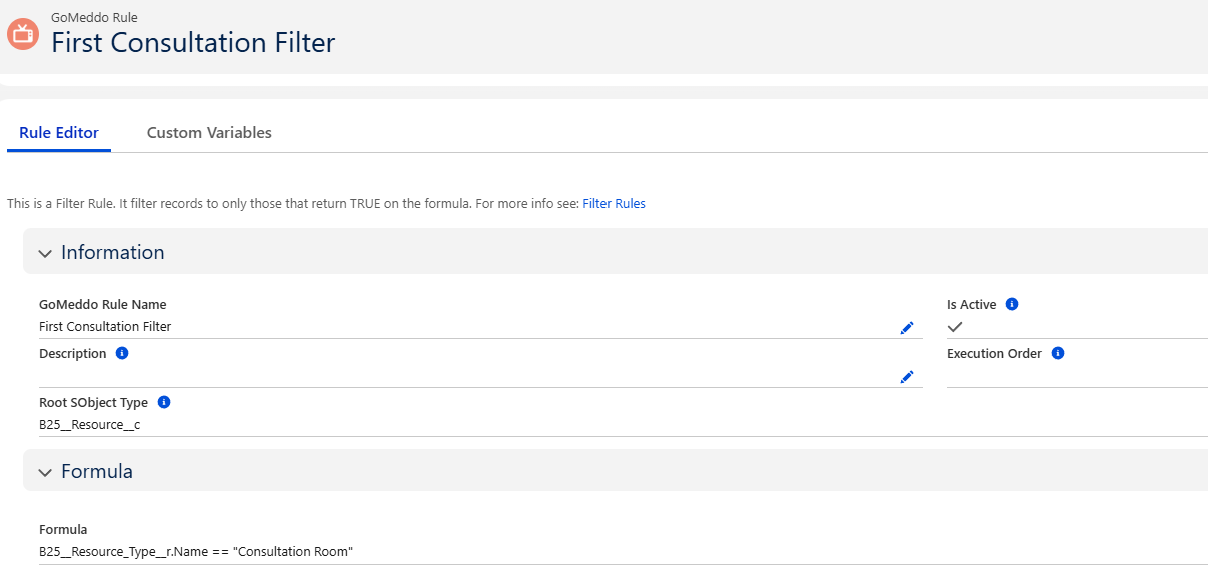
Filter rules allow you to limit the records to be returned for a defined Object Type.
These rules can be used on Rulesets and Reservation Blueprints.
Creating and Editing Filter Rules
Go to GoMeddo Rules, click on New, and select Filter Rule on the Select a Record Type Screen.
-
Please provide a name for this rule and select the Root Sobject Type that this rule is linked to. For example, if you want to filter Staff records, put B25__Staff__c on the Root SObject Type field. Mark it as active or inactive. If inactive, the rule will not work or be validated upon save.
-
Type the formula itself here, using the function and operators in the formula editor. The Insert Field button automatically retrieves fields from the field specified on the Root SObject Type field.
If the formula is true, the record will be retrieved. You can use the syntax checker to validate your rule.