
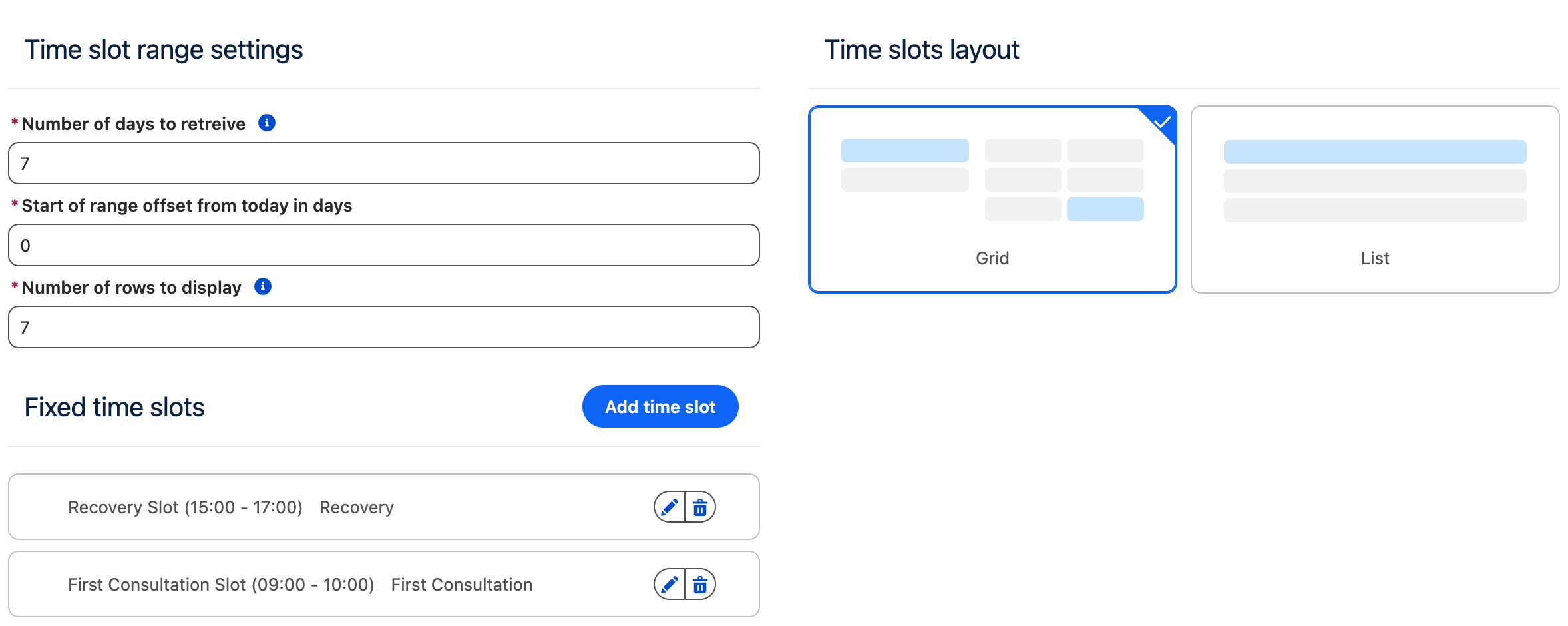
This step allows the user to select a time slot from the available options.
The configuration for this step is divided into the following sections.
This step is available only in Reservation mode.
Step Configuration
Time Slot Range Settings
This section defines how far into the future available time slots are retrieved and how they are presented to the user.
|
Setting |
Description |
|---|---|
|
Number of days to retrieve |
The total number of days for which available time slots are queried and made available for user selection. Not applicable to calendar type views. |
|
Bookable Period |
The number of days, starting from the Booking Start Offset, during which reservations can be made. Set to 0 for no limit. For example, with Booking Start Offset set to 5 and Bookable Period set to 31, users can book between day 5 and day 36. |
|
Booking Start Offset |
The number of days to offset the start of the time slot range from today. This can be used to prevent users from booking same-day or next-day time slots, for example when preparation time is required. |
|
Number of rows to display |
Controls how many days or rows are shown at once:
When the user clicks Load More, this same number of days or rows is added to the existing view. Not applicable to calendar type views. |
Fixed Time Slots
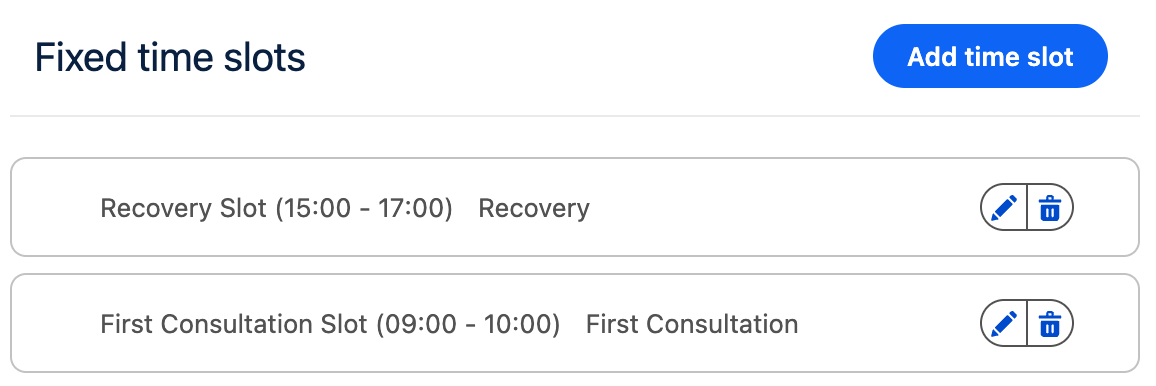
This section allows you to define fixed time slots for which availability will be checked. If a fixed time slot is available, it will be shown to the user.
If no fixed time slots are defined, time slots are automatically generated based on:
-
The availability configuration in Salesforce
-
The duration defined on the selected Blueprint
Fixed Time Slot Behavior
-
When fixed time slots are specified, each slot is checked individually for availability.
-
In this case, the Blueprint duration is not taken into account; the start and end times defined on the fixed time slot are used instead.
Adding Fixed Time Slots
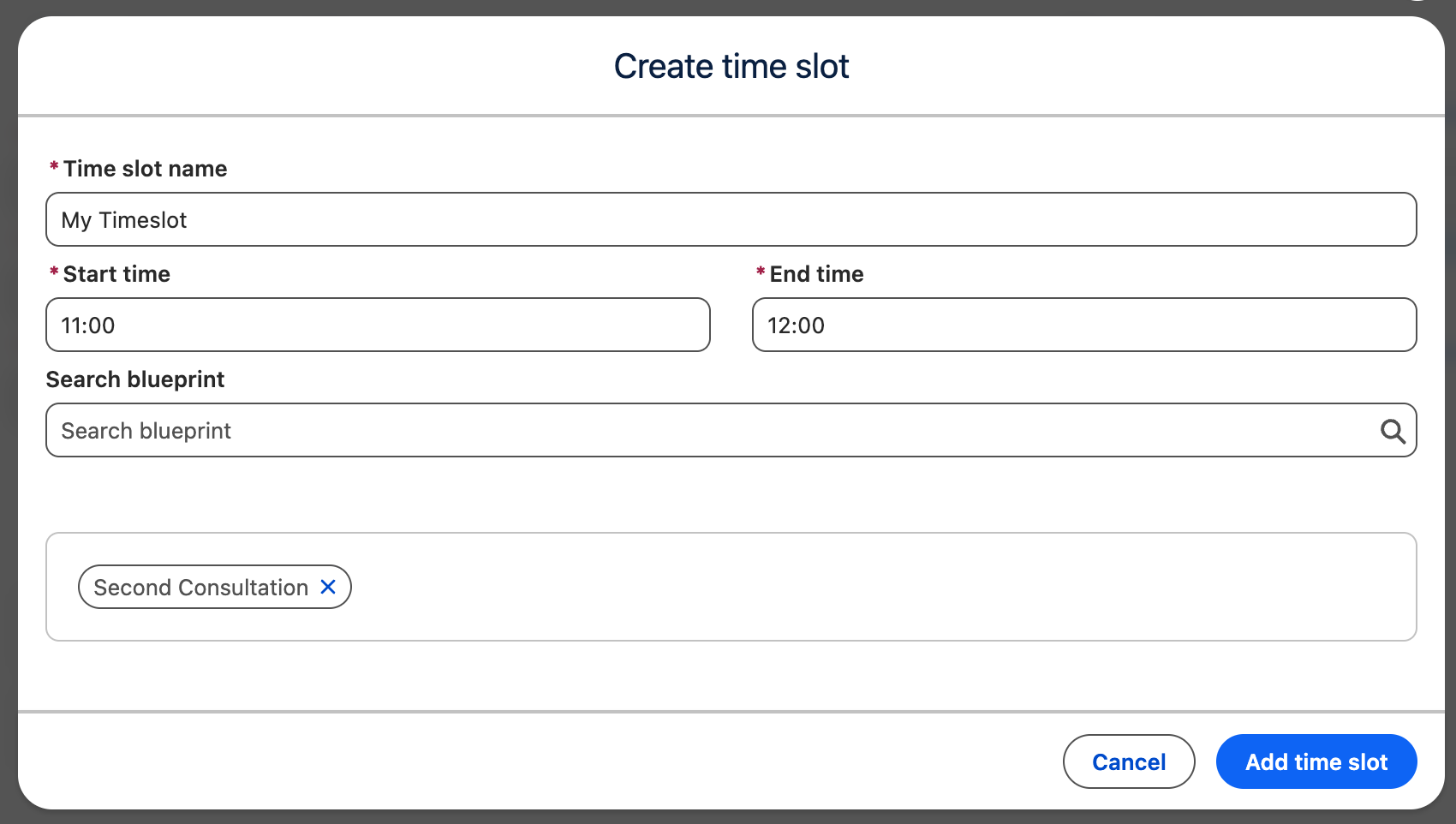
You can add fixed time slots by clicking the Add time slot button. This opens a time slot editor where you can configure the following:
-
Name
An internal label for the time slot, used for your own reference. This is not shown to the user. -
Start Time and End Time
Defines the exact time range of the slot. -
Blueprints
Optionally specify one or more Blueprints for which the time slot applies.-
If no Blueprint is selected, the time slot will be shown (if available) regardless of the Blueprint chosen by the user.
-
A single time slot can be associated with multiple Blueprints.
-
Multiple time slots can be associated with the same Blueprint.
-
Layout Configuration
Time Slots Layout
This section allows you to define how available time slots are presented to the user.
You can choose between the following layouts:
Calendar Sidebar
-
A calendar for date selection is located in a column on the left.
-
Available time slots for the selected date are shown in a column on the right.
Calendar View
-
A dual-month calendar for date selection is available to the user.
-
Upon clicking a date, the available time slots for the selected date are shown in a popover.
Grid View
-
Dates are displayed in a column on the left.
-
Available time slots for the selected date are shown in a column on the right.
List View
-
Available time slots are displayed one below the other in a single list.