
GoMeddo Frontend Builder is also capable of seamlessly integrating payment processing into reservation creation.
This process has the following pre-requisites:
-
The GoMeddo package and GoMeddo Frontend Builder package have both been installed in a Salesforce environment. The GoMeddo package has additionally been configured as required.
-
The GoMeddo Payments package has been installed and configured with a connected payment provider.
-
A GoMeddo frontend builder record has been configured for the required use case.
To set up payments for the configured frontend:
-
Navigate to the created frontend
-
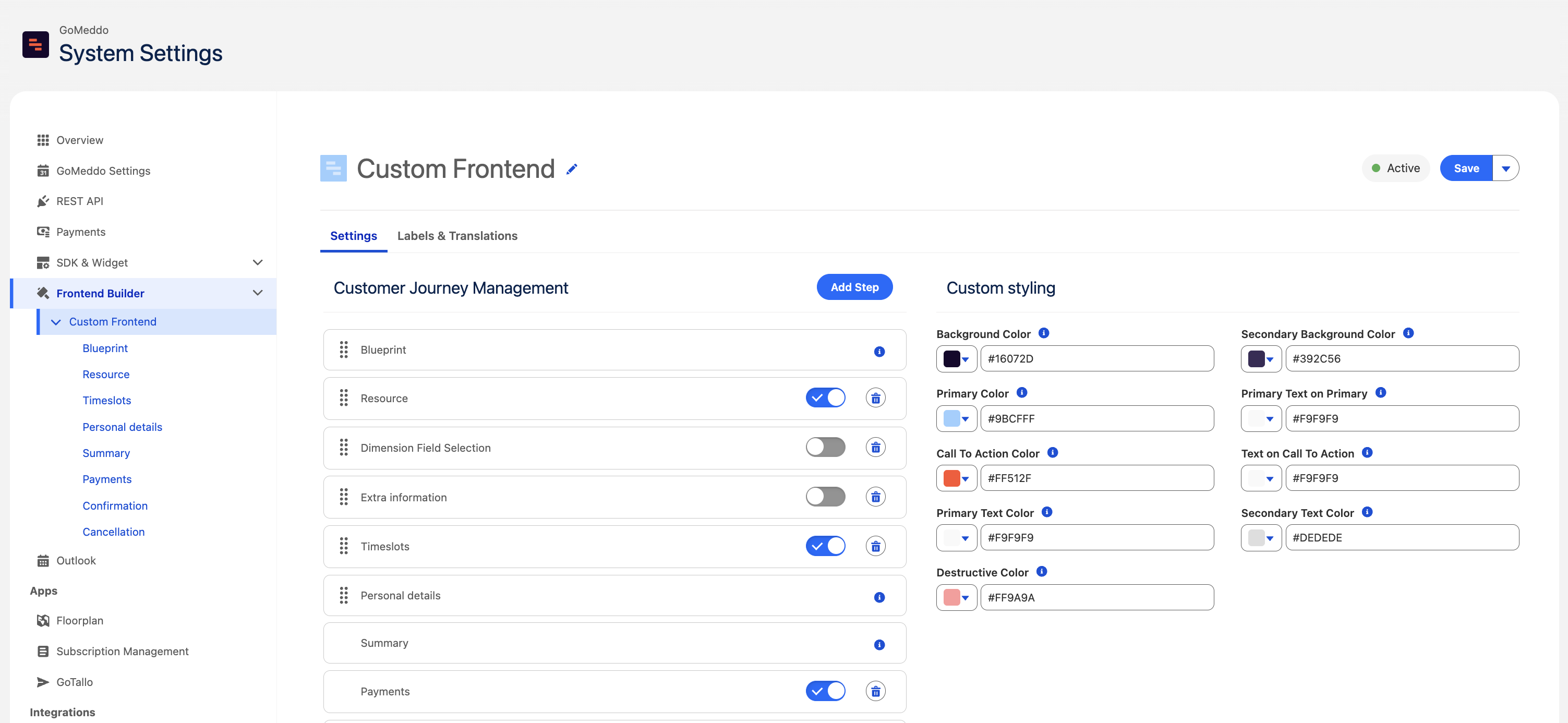
Either add and enable a new step for Payments, or enable an existing Payments step.
-
On enabling the step, a new options menu will appear on the left under the selected frontend. Select the payments step.
-
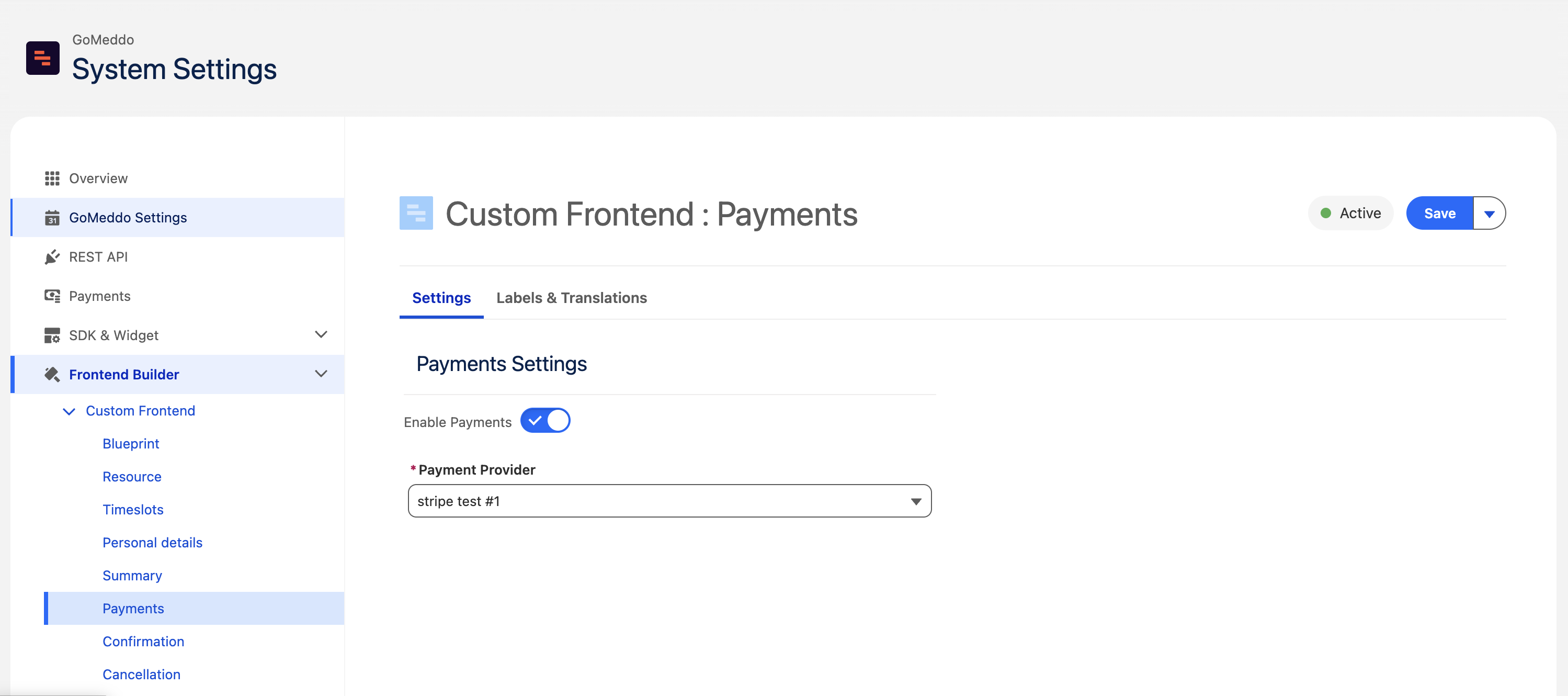
Within the payments settings step, Enable Payments. Select the provider you configured during payments setup and Save.
-
Upon saving, this frontend will automatically utilize the configured payment provider for the final step in the reservation booking process. No redeployment or additional updating is required.