This flow template is inactive by default. To activate it, first open it and then select Save As. This clones the template, after which you can activate your clone.
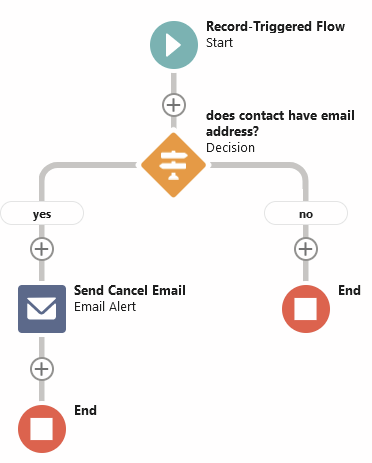
This flow template sends out the GoMeddo email template named Reservation Canceled, when a reservation gets deleted. It sends the email to the contact linked to the reservation in the field B25__Contact__c.
If you to change the text of the email being sent, you can simply edit the contents of the email template. If you want to send to a different recipient, or if you want to send a different email template, you can edit the Email Alert named Send Cancel Email.
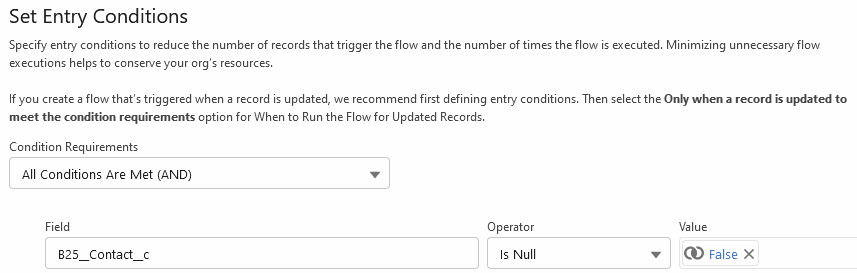
Keep in mind that if you change the recipient of the email, it is advisable to modify the entry conditions of the flow to check that the recipient field is not empty. The unmodified version of the flow does this for the B25__Contact__c field: